Why a KVM Switch Is Essential for Managing Multiple Computers
Imagine a workspace where a single keyboard and mouse give you access to multiple sources. It feels like working on one unified setup, even though the computers are located over distance, e.g. in server rooms. Despite the distance, the experience is seamless as if the computers are right next to you, only without the noise, heat, or clutter. The result is a clean, organized, and highly efficient working environment. Seamless collaboration across multiple systems becomes possible, while centralized control enables strong security measures and access management.
How can this setup become a reality? What do you need, and which IHSE solutions make it possible? The answer is simple: an IHSE KVM switch. These switches allow you to connect, manage, and control multiple computers and servers from a single workstation, maximizing productivity, saving space, and improving workflow efficiency
Benefits of KVM Switches
Instant Response
Enjoy real-time control with no noticeable delay.
Seamless Transition
between several computers for a smooth user experience.
Multi-Computer Access
Switching and simultaneous work on multiple computers for enhanced productivity.
Cost Efficiency
Minimizing hardware investments by sharing computer resources.
Scalable Architecture
Expand and adapt your system efficiently depending on your specific requirements.
Clean Desk
More structure with only one keyboard and mouse for multiple systems.
Efficient Maintenance
Centralized control for easier updates and monitoring across various systems.
Security Boost
integration of customized user profiles, real-time monitoring and security concepts.
Remote Access
Integrate IP-based access to operate systems from anywhere.
Multi-User and Multi-Computer Access
Allow several users to control a system at the same time – ideal for collaborative or high demand environments.
How does a KVM Switch work?
KVM switches offer real-time access to multiple computers with zero latency. Designed for maximum flexibility, they allow operators to control several systems simultaneously with ease.
IP or Proprietary Either choose proprietary systems that do not require additional software and can be used directly by the user or software-based solutions that are managed via a switching manager.
Connection Link your workstation to multiple computers and servers via the KVM switch, using Cat X or fiber connection.
Control multiple computers/systems in parallel without interruption your workflow.
Seamless Transition When switching between computers, the transition is smooth and fast, maintaining a seamless user experience.
Multi-Screen Control Manage multiple systems displayed side by side on your workstation, using just one keyboard and mouse.
GET IN TOUCH WITH OUR EXPERTS
Connect with an IHSE Expert Today to Enhance Your Workflow.
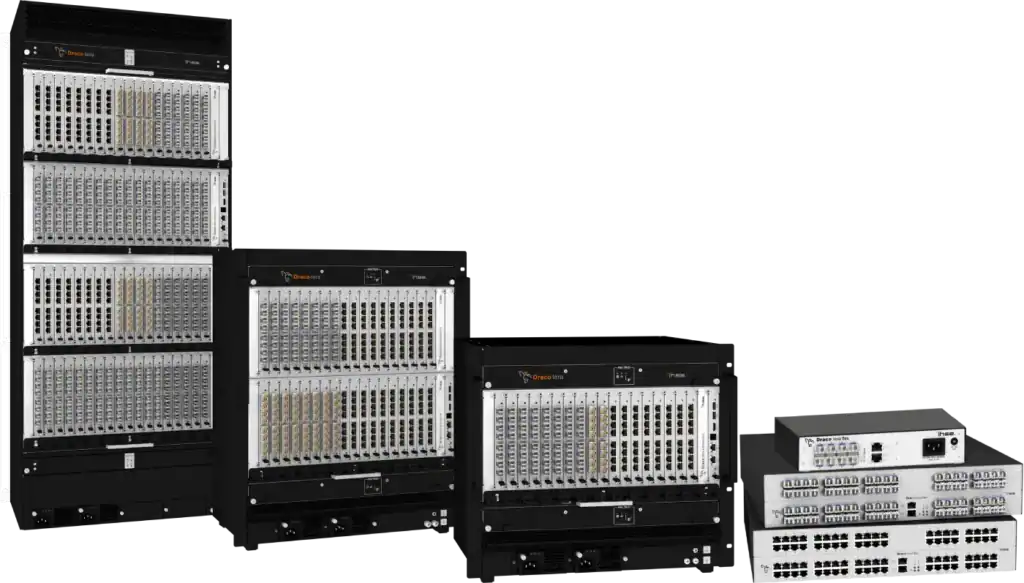
A KVM Matrix solution streamlines control of numerous computers using a single set of peripherals. Unlike traditional switches, it offers enhanced flexibility and scalability for multiple users accessing various computers simultaneously. Ideal for complex settings like data centers, control rooms, and IT setups.
KVM Desktop Solutions
Key features
Streamlined Control, Security and Privacy
Space Saving
Multi-Platform Support
Quick Setup
Swift transitions between connected computers
High-Quality Video
Ensured security with anti-tampering measures
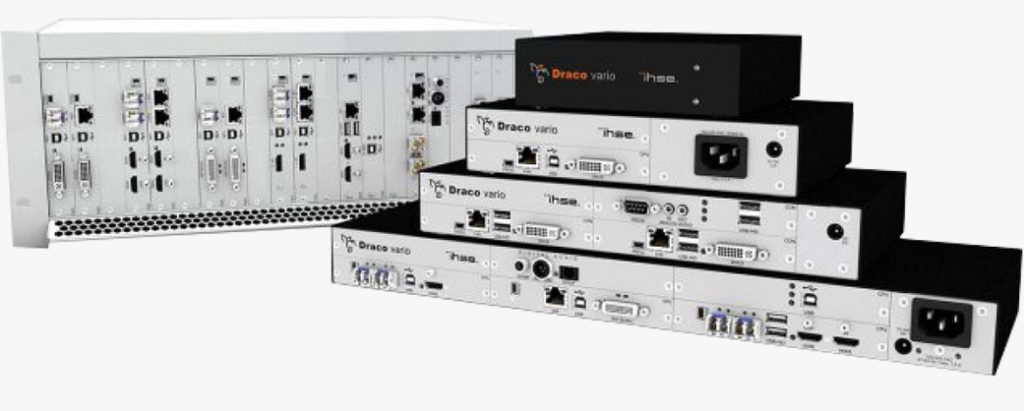
Desktop KVM solutions empower users to manage and interact with multiple computers using a single set of peripherals – keyboard, video monitor, and mouse – without needing separate setups for each system. These solutions are especially beneficial in office environments, home offices, and small-scale IT setups where space and efficiency are essential.
Get in touch with our Experts
Fill out the form below and our experts will get in touch with you soon!
"*" indicates required fields
Discover our KVM Extenders Solutions
IHSE KVM Extenders
Introducing KVM extenders: a hardware device that extends the signals from a distant computer computer to your workspace. Enjoy seamless efficiency with extended reach for your keyboard, video display, and mouse.